A guide for providers for NDIS invoicing
Where a participant has plan managed funding in their NDIS plan and Parent To Parent are managing their funds, you will need to send your invoices to us for processing and payment.
If you are providing support or services to participants on the NDIS and that have plan managed funding in their NDIS plans you are a National Disability Insurance Scheme (NDIS) service provider.
| Invoices to participants plan managed by Parent To Parent can be emailed to: ndisfinance@p2pqld.org.au |
What is needed on an invoice?
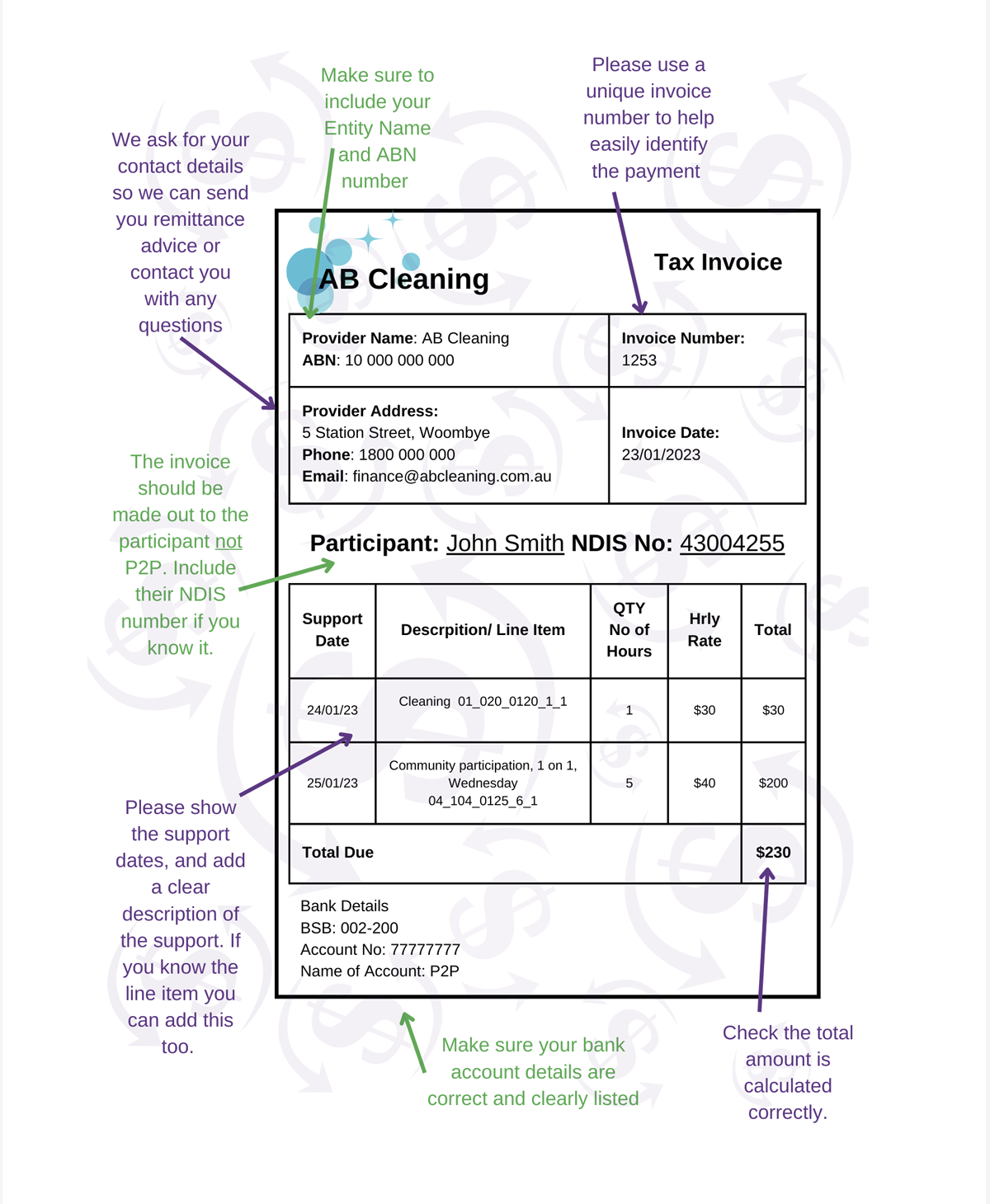
There are several requirements that need to be on invoices from providers. Providing the following information on your invoices makes it easier for us to process your invoices in a timely manner.
|
Have a look at the example invoice on the next page for some tips!
Additional Information
Therapy Requirements
Providers can only claim therapy services under the NDIS when the therapist meets the specified criteria.
For therapists who are not listed professionals but meet the NDIS Commission’s requirements, please ensure they are invoiced using the “Other Professional” support item.
Remember to include all required documentation to prevent any delays in processing your therapy claims. It is recommended that you list your allied health registration number if applicable.
For more detailed information on claiming for therapy services, please refer to the NDIS Pricing Arrangements and Price Limits.
|
Have any questions?
Please do not hesitate to contact us on 1800 777 723 or by email ndisfinance@p2pqld.org.au
How to Convert your Invoice to a PDF File
Microsoft Word or Excel Files
Open your document in Microsoft Word or Excel,
Select File > Save As
Choose where you want to save the PDF.
Under the file name, change the file type to PDF.

Click Save.
Apple Mac Pages or Numbers Files
Open the document in Pages or Numbers.
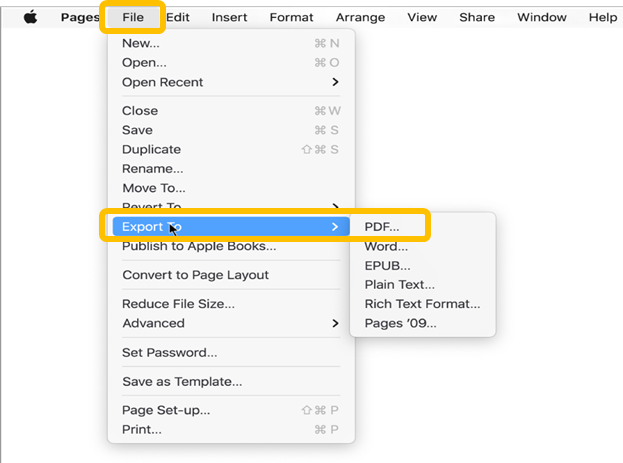
Then choose File > Export To
Select PDF
Type a name for the document.
Choose where you want to save the PDF.
Click Export