

What is a funding period and how do I find my funding period schedule?

What is a funding period?

NDIS plans created after May 2025 include funding periods. This means your funding is released in stages over time, instead of all being available upfront.

Your plan will include a schedule for each funding category (such as Core Supports or Capacity Building categories), showing the time period the funding should cover and the amount of money allocated for that period.

If you don’t use all your funding, it rolls over into the next funding period. If you overspend, you may be able to use future funding periods to cover the shortfall if you request, however it will impact future supports.

This means it’s very important to understand:

  • How much funding you have available now
  • Which period it applies to
  • How long it must last
  • How to track your spending

How can I find out how much funding I can use?

Your NDIS plan includes a funding schedule that shows:

  • Each funding category
  • Each funding period
  • The amount available for each time period


In the Caresquare App

View your funding periods within each category. Click on the arrow for more detailed information.
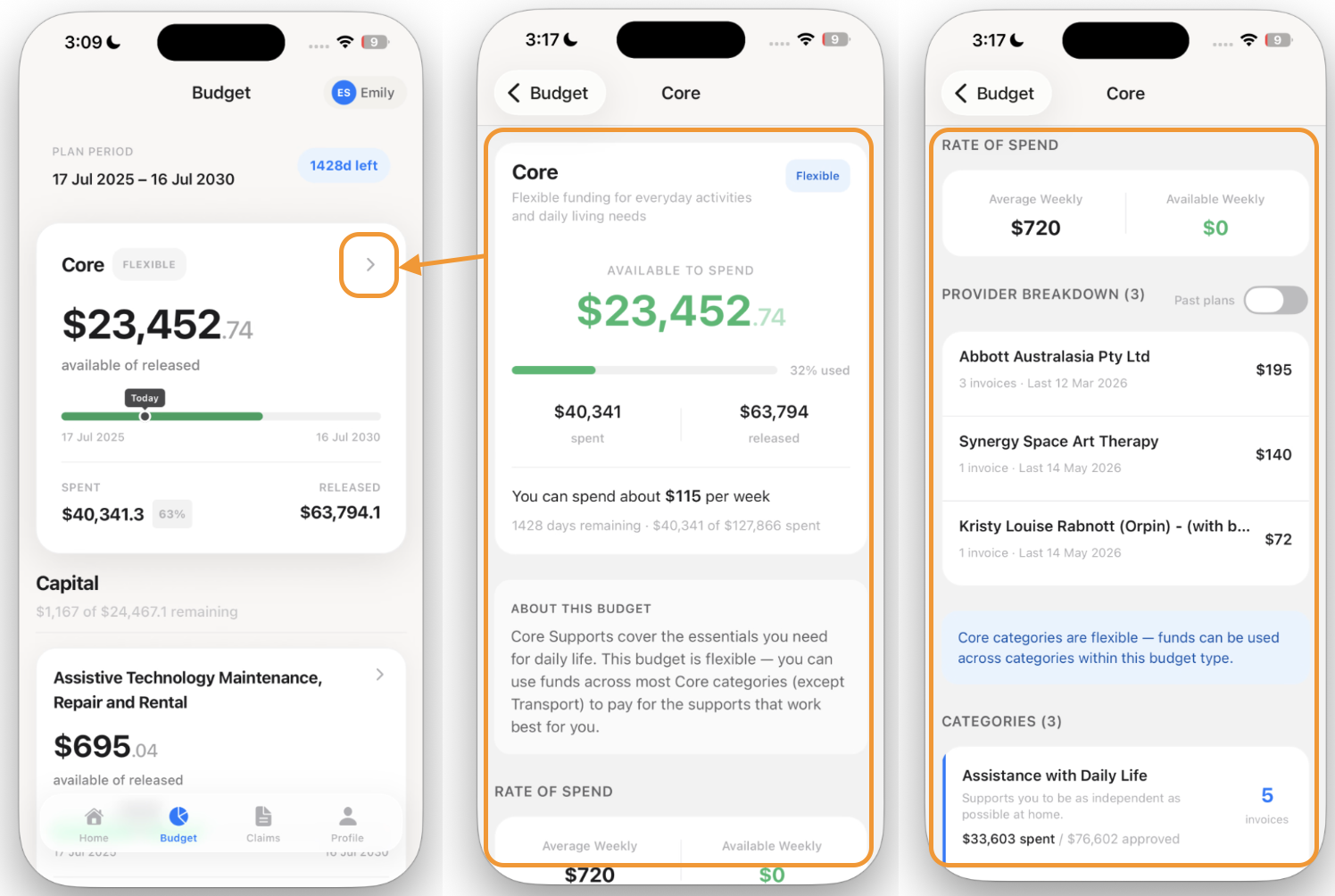
Caresquare icon  Viewing your funding period in Caresquare 

The participant portal shows your funding periods and budgets, so you can clearly see what funding is available and when it can be used.

In the Caresquare App

View your funding periods within each category. Click on the arrow for more detailed information.

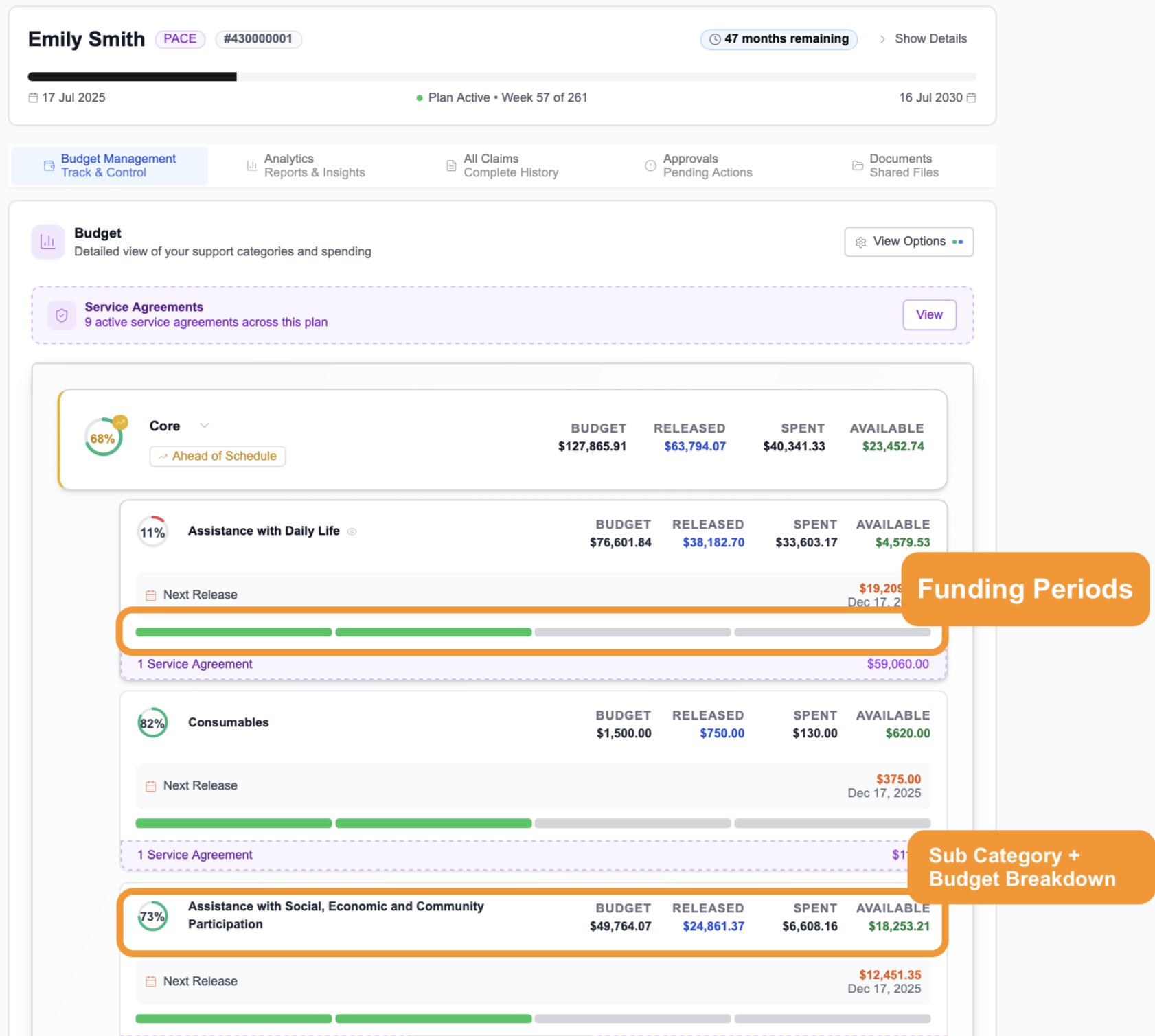
Caresquare on the computer dashboard

On a computer, when you log into Caresquare, you can find your funding period schedule under the Budget Management tab.

Caresquare Dashboard